API Access
Open WebUI exposes an extensive API (see /docs, if deployed in dev mode).
API key
Almost all of Open WebUI's API endpoints require authentication. To authenticate, you need to pass along a personal API key with every request. The key is scoped to the corresponding user's permissions.
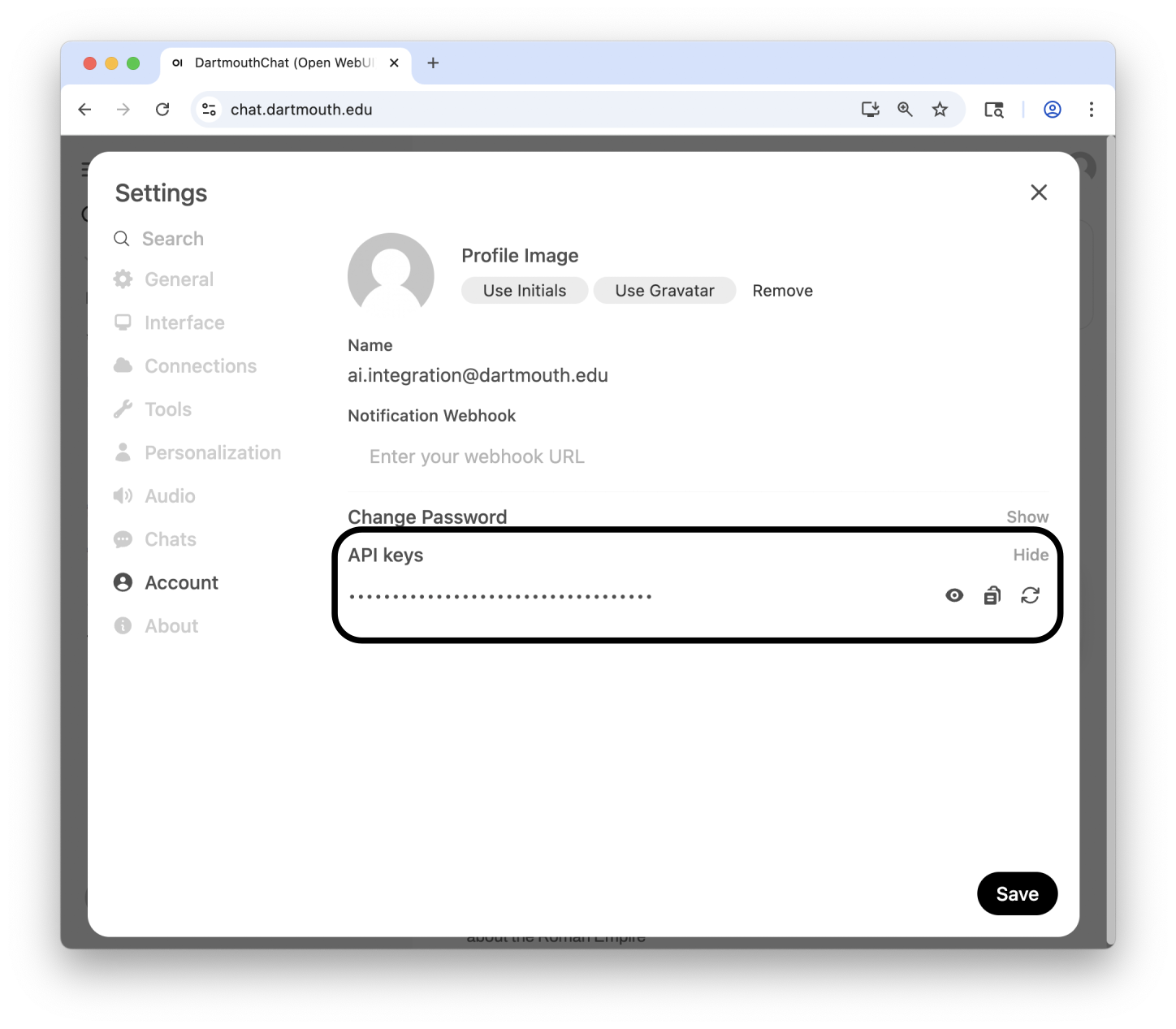
You can obtain your API key from the Account settings in the Open WebUI app.
Send your API key as a header with every request like this:
Usage
You can, of course, use the Open WebUI API via "raw" requests using, e.g., curl or Python's request library or something similar. However, it is designed to integrate with existing LLM tooling, which offers more convenient ways to interact with your deployment programmatically.
A subset of the exposed endpoints define a Chat Completions compliant API (a de-facto standard for LLM inference popularized by OpenAI).
Since we have many Python users at Dartmouth, we have created a wrapper for those in the Python library langchain_dartmouth.
If you use the stack described in this tutorial, you can point the package to a different base URL and use the provided class ChatDartmouthCloud to interact with your Open WebUI API:
LCD_CLOUD_BASE_URL=<URL of your Open WebUI deployment>/api
DARTMOUTH_CHAT_API_KEY=<your API key from Open WebUI>
Alternatively, you could use any OpenAI client (e.g. OpenAI's official Python or JavaScript SDK, LangChain's ChatOpenAI class) and change the base URLs accordingly:
OPENAI_BASE_URL=<URL of your Open WebUI deployment>/api/
OPENAI_API_KEY=<your API key from Open WebUI>
Minimal inference example
Install langchain_dartmouth from PyPI:
Next, make sure the environment variables above are set before running any code. There are many ways to do that. If you are using VS Code, a .env file at the root of the currently open folder will automatically be loaded. You could also use the Python package python-dotenv to load the file explicitly. If you are using uv, you can run a script with a specific .env file like this:
Once the environment variables are set up, here is a minimal example using langchain_dartmouth:
from langchain_dartmouth.llms import ChatDartmouthCloud


llm = ChatDartmouthCloud(model_name="my-llama3.2:1b")

response = llm.invoke("Tell me a fun fact about Columbus, Ohio!")

response.pretty_print()
Make sure to run this script after setting the environment variables.
Streaming
To stream a model's response, you can use the following pattern:
from langchain_dartmouth.llms import ChatDartmouthCloud


llm = ChatDartmouthCloud(model_name="my-llama3.2:1b")

for chunk in llm.stream("Write a haiku about Columbus, Ohio"):
    print(chunk.content)
LangChain Dartmouth Cookbook
We are maintaining a collection of tutorials (or recipes) and typical use cases when building with LLMs in the LangChain Dartmouth Cookbook. Many of these recipes can be reproduced with the stack described in this workshop.